
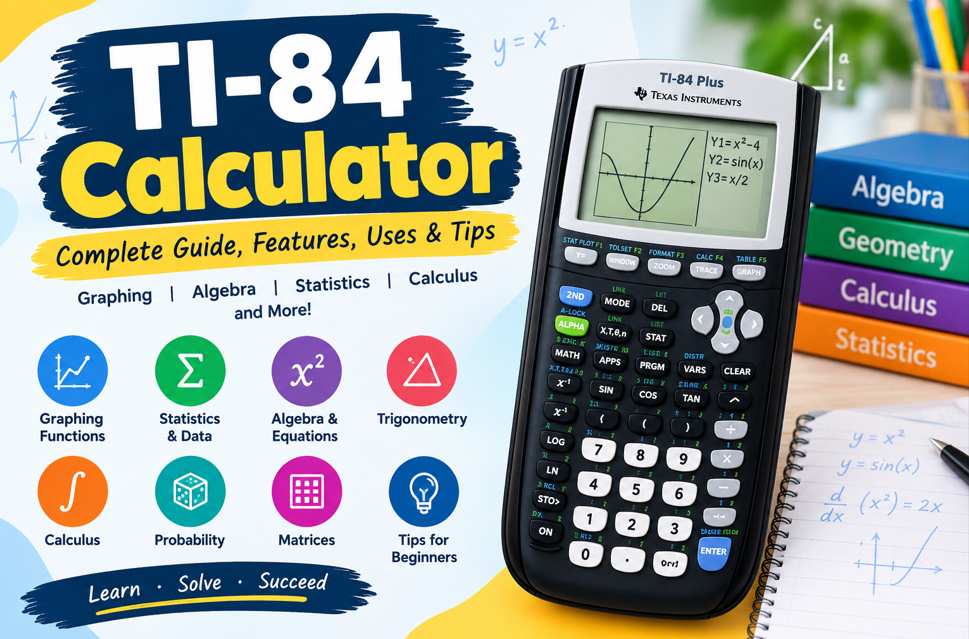
What Is a TI-84 Calculator?
The TI-84 calculator is a graphing calculator designed for mathematics and science education. It can handle everyday calculations while also providing tools for graphing equations, analyzing functions, working with statistics, and exploring mathematical relationships. The TI-84 Plus family is commonly used for subjects ranging from algebra and trigonometry to calculus and statistics.
Unlike a standard scientific calculator, a TI-84 graphing calculator allows students to see mathematical ideas visually. Users can enter equations, display graphs, create tables, examine data, and investigate important points on functions. These capabilities make the calculator useful for both classroom learning and independent practice.
- Graph mathematical functions
- Create value tables
- Analyze equations
- Perform statistics
- Work with matrices
- Calculate probabilities
- Solve numerical equations
- Explore mathematical models
Key Features of the TI-84 Calculator
The TI-84 includes a wide range of mathematical functions that can support different levels of coursework. Depending on the model, users can graph rectangular, parametric, polar, and recursive functions while also analyzing roots, maximums, minimums, derivatives, and integrals. Modern TI-84 models also provide interactive menus and MathPrint formatting for easier expression entry.
The TI-84 Plus CE adds several hardware improvements over earlier TI-84 models, including a backlit color display, rechargeable battery, slimmer design, and additional memory. Color-coded graphs can make it easier to distinguish multiple functions and data sets, while split-screen features allow equations, graphs, and tables to be viewed together.
- Color graphing
- Math Print notation
- Rechargeable battery
- Function analysis
- Interactive menus
- Split-screen viewing
- Matrix operations
- Statistical tools
How to Graph Equations on a TI-84
Graphing equations is one of the most important reasons students use a TI-84 calculator. Functions can be entered into the graphing menu and displayed on the coordinate plane. Users can then adjust the viewing window, trace points, create tables, and investigate features such as zeros, intersections, maximums, and minimums.
Beginners should start with simple functions before moving to more advanced equations. Checking the graphing window is especially important because an inappropriate window can make a correct equation appear confusing or incomplete. Using graphs alongside algebraic calculations can also help students understand how equations behave visually.
- Enter equations in Y=
- Adjust Xmin and Xmax
- Adjust Ymin and Ymax
- Use zoom functions
- Trace graph points
- Find function zeros
- Find intersections
- Create function tables
TI-84 Calculator for Algebra and Trigonometry
The TI-84 can support many algebra topics, including functions, equations, systems, polynomials, inequalities, and numerical solving. Its equation-solving capabilities and graphing features allow students to investigate mathematical relationships from multiple perspectives. Specialized applications can also extend the calculator’s functionality for polynomial roots and simultaneous equations.
For trigonometry, students can evaluate sine, cosine, tangent, and related expressions. One important beginner skill is understanding degree and radian modes. The selected angle mode affects trigonometric calculations, so students should always verify the setting before entering a problem involving angles.
- Solve equations
- Evaluate expressions
- Work with polynomials
- Analyze inequalities
- Solve systems
- Calculate sine
- Calculate cosine
- Calculate tangent
Using the TI-84 for Statistics and Data
The TI-84 is also a useful statistics calculator for organizing and analyzing numerical data. Users can store values in lists and perform one-variable or two-variable statistical calculations. Depending on the model, available regression options include linear, logarithmic, exponential, power, quadratic, cubic, and other models.
Statistical plots help turn numerical information into visual patterns. Students can create scatter plots, histograms, box-and-whisker plots, and normal probability plots. These features are useful when studying data distributions, relationships between variables, regression, probability, and introductory statistical analysis.
- Enter data lists
- Calculate averages
- Find standard deviation
- Create scatter plots
- Make histograms
- Analyze regression
- Study distributions
- Compare data sets
TI-84 Calculator for Calculus and Advanced Math
The TI-84 can be helpful for students studying precalculus and calculus. Its graphing and numerical analysis tools allow users to investigate function behavior and examine values associated with roots, maximums, minimums, derivatives, and integrals. These features can provide a visual and numerical perspective alongside traditional mathematical methods.
A graphing calculator should complement mathematical reasoning rather than replace it. Students can first work through a problem using formulas and algebraic methods, then use the TI-84 to check calculations or explore the resulting function. This approach can strengthen understanding while reducing simple calculation errors.
- Graph calculus functions
- Explore derivatives
- Estimate integrals
- Find roots
- Locate extrema
- Evaluate functions
- Build tables
- Study function behavior
TI-84 Plus vs. TI-84 Plus CE
The TI-84 Plus and TI-84 Plus CE belong to the same graphing calculator family but have different hardware and display features. The traditional TI-84 Plus has a monochrome display and uses four AAA batteries, while the TI-84 Plus CE provides a backlit color screen, rechargeable battery, and slimmer construction.
Both models provide substantial graphing, algebra, statistics, probability, and mathematical analysis capabilities. The TI-84 Plus CE provides a more modern visual experience, while the standard TI-84 Plus retains the familiar TI-84 interface and core functionality. Students should consider their course requirements and the features they expect to use.
- TI-84 Plus uses AAA batteries
- TI-84 Plus has monochrome display
- TI-84 Plus CE has color display
- CE includes rechargeable power
- CE has a slimmer design
- Both support graphing
- Both support statistics
- Both support programming
Tips for Using a TI-84 Calculator Effectively
New users can learn the TI-84 more easily by mastering common functions before exploring advanced menus. Start with arithmetic, fractions, powers, graphing, tables, and basic statistics. Once these operations become familiar, students can gradually learn regression, probability, matrices, calculus functions, and specialized applications.
Accuracy is just as important as speed when using a graphing calculator. Always check the entered equation, angle mode, graphing window, statistical lists, and displayed format. Comparing the calculator’s result with an estimate or handwritten calculation is a simple way to identify input mistakes.
- Learn common keys
- Check angle mode
- Verify equations
- Review graph windows
- Use tables for checking
- Practice frequently
- Keep data organized
- Understand calculator results
TI-84 Applications for Math, Science, and STEM
The TI-84 family can support many academic subjects, including algebra, geometry, trigonometry, precalculus, calculus, statistics, probability, physics, chemistry, and other STEM coursework. Available applications can expand its capabilities with tools for inequalities, conics, transformations, probability simulations, polynomial roots, and simultaneous equations.
Some TI-84 models also support programming. The TI-84 Plus CE supports TI-Basic, while the Python Edition adds a dedicated Python programming environment. This allows students to explore computational thinking, mathematical modeling, simulations, and introductory programming alongside traditional graphing and calculation.
- Algebra applications
- Geometry tools
- Trigonometry support
- Calculus functions
- Statistics analysis
- Probability tools
- STEM applications
- Programming capabilities